


WIVB News 4
3.7545.00 Reviews
App Specs
- Version
- 510.0.1
- Updated On
- License
- Free
- Downloads
- 100,000+
- Developer
- Nexstar Inc.
- Categories
- News & Magazines
- Platform
- Android
Screenshots
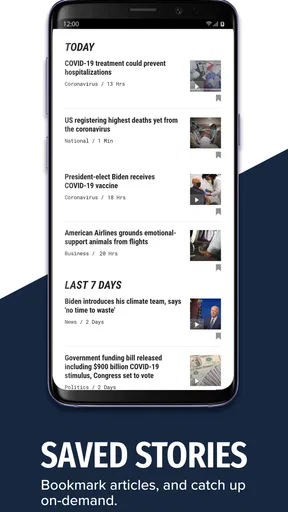
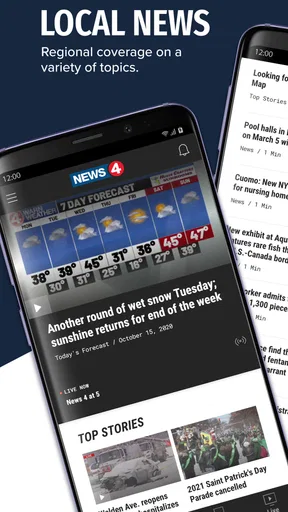
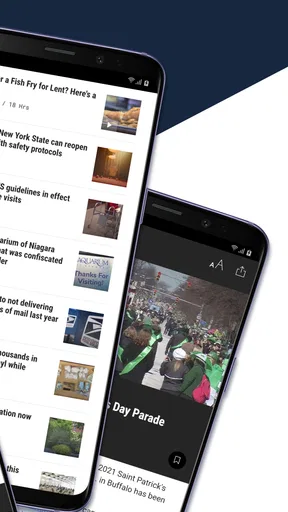
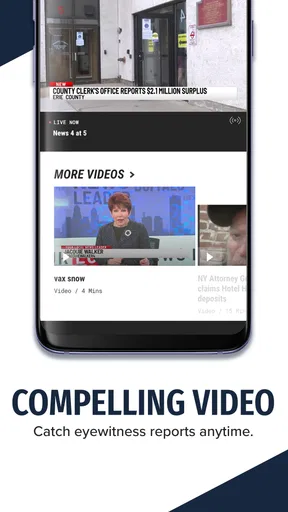
 Analysis by AppCompare
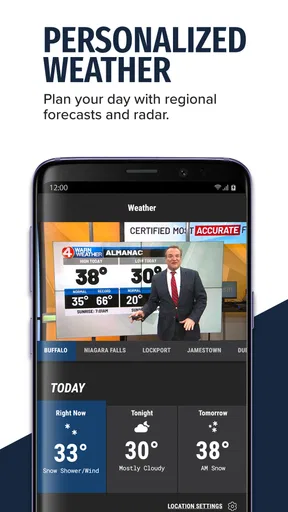
I found WIVB News 4 most useful when I wanted a quick local-news check without opening a browser and sorting through unrelated results. It is a free news and magazines app from Nexstar Inc., built around the WIVB News 4 brand, with news and weather presented in one place. The main appeal is simple: it gives Buffalo-area readers a direct way to check current coverage, while people outside the station’s audience may find the experience less relevant.
My overall impression is positive but practical rather than enthusiastic. The app does not need to replace every news source on your phone. Instead, it works best as a local update tool that you open for a quick scan, a weather check, or a developing story. Its average rating is 3.7 from around 1.3 thousand ratings, which suggests a mixed but usable experience rather than a universally smooth one. I can understand that balance: the content focus is clear, but the usefulness of the app depends heavily on location, connection quality, and how much local coverage you actually want.
What using WIVB News 4 feels like in everyday life
The first thing I would do after installing it is decide what job I want it to perform. If I am checking the morning headlines before work, I want a fast overview. If severe weather is developing, I want the weather area to be easy to reach. If I am following a local event, I want to return to the same story without losing my place. Thinking about those situations makes the app easier to judge than simply asking whether it has “more news.”
In a realistic weekday scenario, I might open the app while having coffee, skim the leading local stories, check the forecast, and close it within a few minutes. That is where a dedicated station app makes sense. I am not trying to browse national opinion pieces or compare dozens of publications. I am looking for the local picture from a familiar news brand, and the focused design can be more convenient than a general news aggregator.
The same focus can become a limitation. Someone who mainly follows national politics, international events, business news, or specialist subjects will probably get more value from a broad news reader. WIVB News 4 is not the app I would choose as my only source for everything happening in the world. I see it as a local layer in a wider reading routine.
Where people are most likely to get stuck
The first point of friction can happen before the content itself: expectations. A user may install the app expecting a full replacement for television, a newspaper, a weather service, and a national news platform. That is too much to ask from a station-focused app. I had a better experience when I treated it as a direct route to WIVB coverage rather than as an all-purpose information hub.
Another common sticking point is relevance. If the stories feel too local for your needs, that is not necessarily a technical problem. The app’s identity is tied to WIVB News 4, so its strongest value is for readers who care about the station’s coverage area. Before changing settings or reinstalling, I would first ask whether the app is serving the audience I belong to.
Worth Reading Before You Choose

EA SPORTS FC Mobile 26 Is a Bigger Football Game, but It Takes Time

Flipboard Shows What News Apps Must Do Beyond the Feed

Switching to Android Auto Means Rethinking Your Driving Routine

Google Calendar Makes a Crowded Week Easier to Manage

Ludo King Makes the Most of the Minutes Between Plans

Baby Panda World Brings Quick Play to Modern Phones, but Its Game Library Feels Busy
Connection quality is another practical factor. News apps depend on current content, and a weak mobile signal or unreliable Wi-Fi can make pages appear slow, incomplete, or temporarily unavailable. I would test another ordinary website or app on the same connection before blaming WIVB News 4. If everything else is struggling, the network is the more likely explanation.
There is also a difference between an app problem and a story that has not yet been updated. During a developing event, information can change gradually. Reopening a page repeatedly may not produce a visible change if the newsroom has not published an update. I prefer to wait briefly, refresh once, and then return later instead of assuming that every unchanged screen means the app has failed.
Setup checks that save time
WIVB News 4 is free, carries an Everyone age rating, and supports Android devices running version 7.0 or later. That makes it accessible to many Android users, but compatibility still deserves a quick check before troubleshooting. If the installation itself is blocked, I would confirm the device software version, available storage, and whether the app store is operating normally.
The current version is 510.0.1. I would keep the installation current through the normal app-store update process, especially if the app opens but behaves inconsistently. Updating is not a guarantee that every issue disappears, but it removes one avoidable source of trouble and ensures that the installed build is the one the developer currently distributes.
After installation, I would open the app on a stable connection and give the initial content time to load. Switching immediately between mobile data and Wi-Fi can make diagnosis confusing. A cleaner test is to use one dependable connection, close other demanding apps, and see whether the news and weather areas load normally.
If the screen looks stale, I would close the app completely and reopen it before taking more drastic steps. On Android, I would also check the app’s system page for the option to stop it, then launch it again. Clearing temporary app data can be a later step, but I would avoid clearing anything that might remove a setting or require me to repeat setup unless simpler checks have failed.
Storage is easy to overlook. A phone that is nearly full may install an app but struggle when other applications are updating or when temporary files are needed. I would check free space if WIVB News 4 repeatedly closes, refuses to update, or behaves differently immediately after an operating-system change.
For iPhone users, the same general logic applies even though the system menus differ: confirm that the app is updated, restart the app, restart the phone if necessary, and test both a reliable Wi-Fi connection and mobile data. I would not change several things at once, because then it becomes difficult to know which action helped.
Recovering a broken reading routine
When an app opens but the reading flow feels broken, I use a simple recovery sequence. First, I note exactly what fails: does the app refuse to launch, does the home screen load without fresh material, or does one particular story fail? That distinction matters. A launch failure points toward the installation or device, while a single unavailable story may be temporary or content-specific.
Next, I return to the main screen rather than repeatedly tapping the same item. If the home screen responds, the problem may be limited to one page. I then close and reopen the app, test the connection, and try again. This is more useful than repeatedly pressing a button that may already have registered the first tap.
If the problem continues, I would restart the phone. It is a basic step, but it can clear a temporary system conflict without changing the app’s stored information. After restarting, I would test WIVB News 4 before opening several other apps, so I can tell whether the issue is specific to this app or part of a wider device problem.
Reinstalling is the last routine step I would try, not the first. It can help when local installation files have become damaged, but it also resets the app’s local state and costs time. Before doing it, I would make sure I know the app’s name and can install it again from the official app store. Since the app is free, cost is not the concern; the inconvenience and the possibility of losing local preferences are.
The most useful troubleshooting habit is to change one variable at a time. If I update the app, change networks, clear data, and restart the phone all at once, I may get a temporary improvement but learn nothing about the cause. A measured sequence gives me a better chance of avoiding the same problem later.
When the app is not the cause
News delivery is affected by more than the application. A local story may be revised, moved, or replaced as coverage develops. Weather information can also change naturally, so a difference between an earlier forecast and a later one is not automatically a software defect. I would compare the app’s behavior with the station’s other official channels before concluding that the application is displaying incorrect information.
Network filtering can matter too. A workplace, school, hotel, or public Wi-Fi network may restrict parts of an app even when ordinary browsing works. If WIVB News 4 works on mobile data but not on that Wi-Fi, I would treat the network as the likely source of the problem. I would not spend time reinstalling the app until I had tested that difference.
Battery-saving controls can also interfere with how quickly content appears, particularly when a phone limits background activity. I would check the device’s general battery settings if updates seem delayed, while remembering that restrictions can improve battery life. For a news app, I would rather open it deliberately when I want current information than make broad changes to every background setting just to chase a small convenience.
Older devices deserve realistic expectations. The minimum Android requirement is 7.0, but meeting a minimum does not mean every older phone will feel equally quick. Limited memory, a crowded storage drive, or an aging battery can make any current app feel less responsive. If other modern apps are also slow, replacing the phone or reducing its workload may be more effective than focusing only on WIVB News 4.
How it compares with the usual alternatives
Compared with a general news aggregator, WIVB News 4 offers a narrower editorial path. That is an advantage when I want local coverage without building a custom list of sources. An aggregator is better when I want many regions, topics, and viewpoints in one feed, but it can also bury local stories among subjects I do not care about.
Compared with reading WIVB coverage in a mobile browser, the app is more direct. I do not need to search for the station each time, and an app icon gives me a dedicated entry point. The browser remains the better fallback when the app is misbehaving, when I am using a device where I do not want another installation, or when I need to compare several sources in separate tabs.
Compared with a weather-only app, WIVB News 4 is broader but less specialized in purpose. I would use a dedicated weather tool if detailed forecasting is the central reason for opening my phone. I would use this app when weather is one part of a local-news check. The trade-off is convenience versus depth: one place for news and weather can be efficient, while separate specialist apps may offer a more focused experience.
Compared with television, the app fits short, on-demand checks better. I can open it when my schedule allows instead of waiting for a broadcast. Television may still be preferable for people who like a guided presentation or want to watch coverage rather than read it. Neither option completely replaces the other in my routine.
Who will get the most from it
I would recommend WIVB News 4 to readers who regularly follow WIVB News 4, want a local-news shortcut, and prefer checking updates on their own schedule. It also suits people who want weather and local headlines close together without maintaining a complicated collection of sources. The free price removes the usual subscription decision, making it easy to try and keep as a secondary news app.
I would be more cautious recommending it to someone outside the station’s natural audience. If local relevance is low, the app may feel narrow regardless of how well it runs. I would also steer heavy national-news readers toward a broader service, because they may spend more time wishing for additional coverage than benefiting from the station focus.
The Everyone rating makes it appropriate for a broad household audience, but that does not mean every story will suit every reader’s preferences. Families may appreciate the accessible format, while individual users should still decide whether the station’s editorial focus matches what they want to read each day.
My practical verdict after using it
WIVB News 4 succeeds when I use it for a clearly defined purpose: checking local headlines and weather from a familiar news outlet. Its strongest quality is focus, not endless breadth. The app has reached over 100 thousand installs, so it is established enough to be a recognizable option for Android users looking for this kind of local coverage.
I would install it if I lived in or closely followed the WIVB coverage area, especially as a quick morning or evening check. I would keep a browser or broader news app available as a backup and companion, not because this one is unusable, but because no local station app should be expected to cover every information need.
My final advice is to judge it during a normal week rather than during one difficult loading attempt. Install the current version, test it on a dependable connection, check whether the local focus is genuinely useful to you, and use the simple recovery steps above if a page stalls. If the content fits your routine, the app is a convenient free addition. If you mainly want national breadth or specialized forecasting, another option will probably serve you better.
For me, that makes WIVB News 4 a sensible, focused choice rather than an essential all-purpose news platform. Its value comes from matching the app to the right daily job.
Pros
- Fast access to breaking news from the Buffalo and Western New York area.
- Local weather forecasts
- radar
- alerts
- and current conditions are easy to find.
- Live newscasts help users follow major stories as they develop.
- Push notifications can keep you informed about urgent local events.
- Sports coverage includes updates relevant to Buffalo-area teams and fans.
Cons
- Some alerts may feel frequent or less important than expected.
- Advertising can interrupt browsing and add visual clutter.
- Video playback may use significant mobile data when streaming on cellular.
- Coverage is primarily regional
- so national news may be limited.
- Certain features may require a stable connection for reliable performance.
FAQs for WIVB News 4
What is the WIVB News 4 app?
WIVB News 4 is a local news application from WIVB-TV in Buffalo, New York. It provides access to breaking news, weather updates, traffic information, sports coverage, community stories, videos, and live or on-demand newscasts. The app is designed for users who want a convenient way to follow developments in the Buffalo area and across Western New York from an Android or iOS device.
What type of news and information can I find in WIVB News 4?
The app typically covers local and regional headlines, crime and public safety, politics, health, education, business, entertainment, and sports. It also includes weather forecasts, radar information, severe-weather alerts, traffic reports, and video stories. Coverage is focused on Buffalo and Western New York, while major national and international events may also appear when they directly affect local viewers.
Does WIVB News 4 provide live news, weather, or emergency alerts?
WIVB News 4 may offer live streaming or on-demand access to selected newscasts, depending on your location, broadcast schedule, and current station availability. Users can also receive notifications for breaking news, severe weather, and other important local events. Alert settings can usually be adjusted in the app or device permissions, so you can choose which notifications you want to receive.
Is the WIVB News 4 app free to download and use?
The WIVB News 4 app is generally free to download from the Google Play Store or Apple App Store. Most news articles, videos, forecasts, and alerts can be accessed without a subscription, although mobile data charges may apply when using cellular networks. Some live video features could be subject to broadcast restrictions, advertising, or other access requirements.
What permissions and device features does WIVB News 4 require?
The app may request permission to send notifications, use your approximate location for localized weather and news, access internet connectivity, and display video or media content. Location access is useful for receiving forecasts and alerts relevant to your area, but it may not be mandatory for basic browsing. Before installing, review the permissions shown in your device’s app store and privacy settings.


